Trades & Contractors
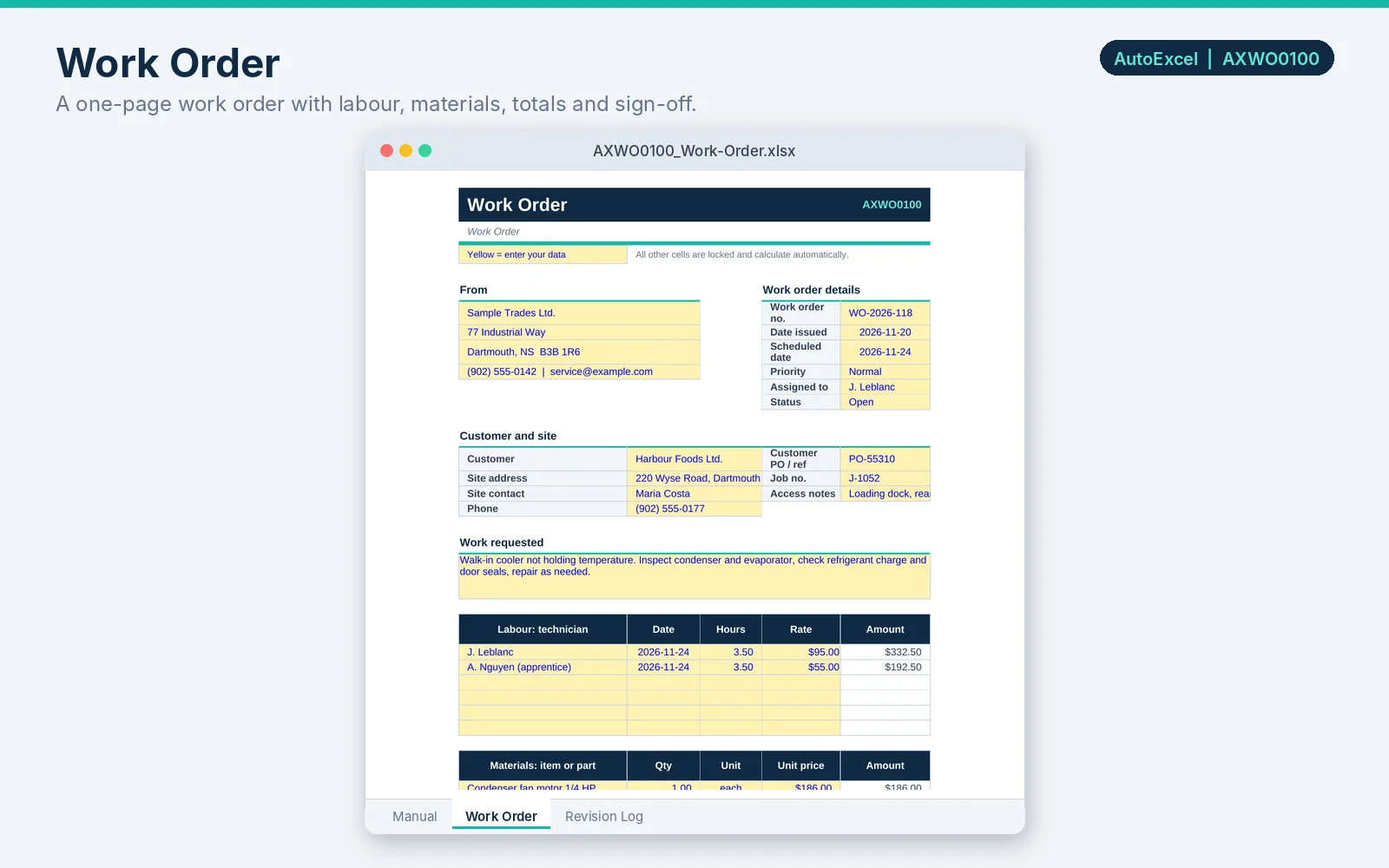
Work Order
A one-page work order with labour, materials, totals and sign-off.
Excel or Google Sheets
Holiday shopping? The Christmas Budget & Gift Tracker is $15. See it
Ready-to-use Excel and Google Sheets templates built for Canadian small businesses. GST/HST/PST/QST handled, priced in CAD, downloaded the moment you buy. No macros. No subscription. 30 templates from $12.
Works as described, or we fix, replace or refund it within 14 days. Built-in user manual in every template.
Start here
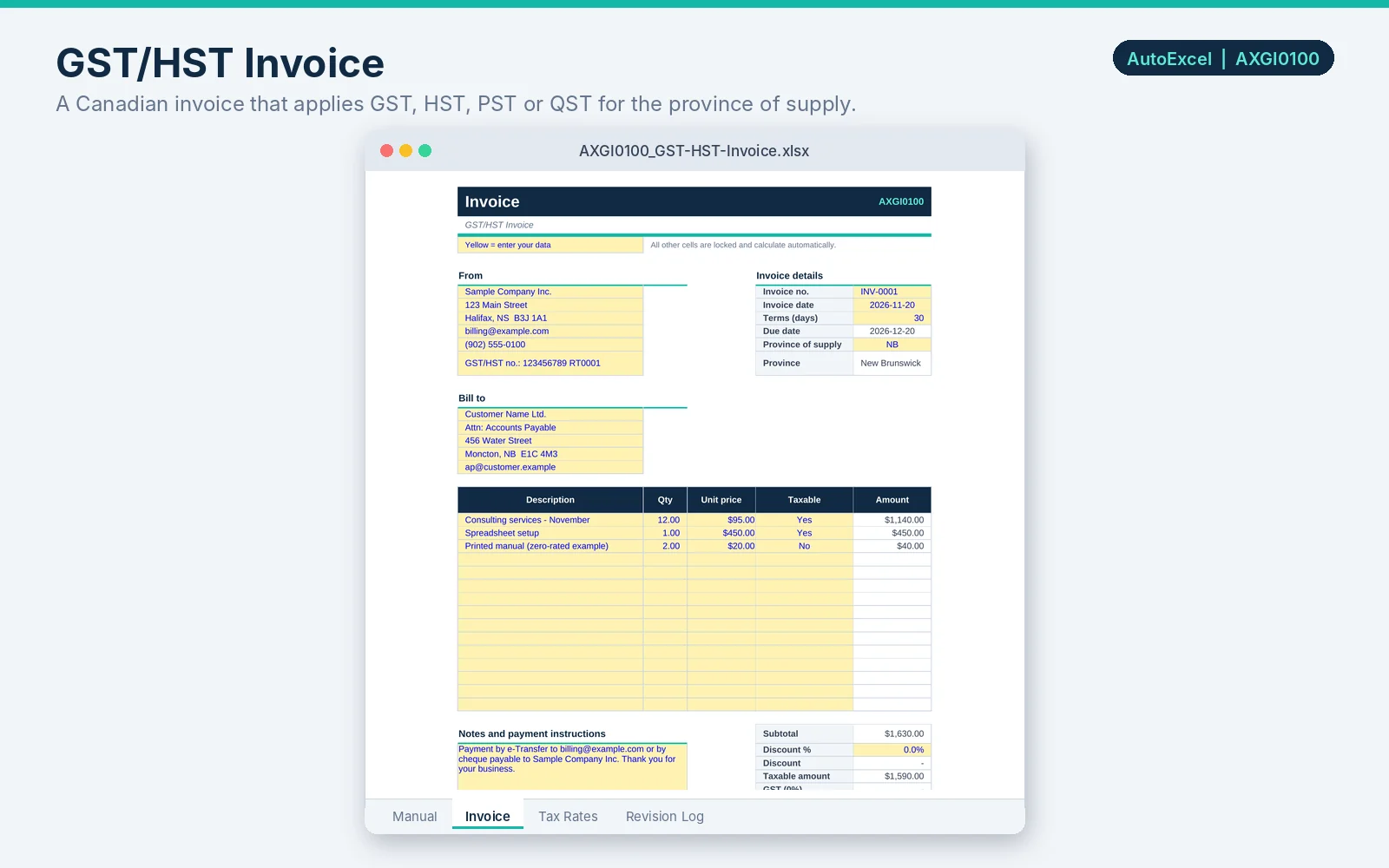
Send invoices with the right Canadian tax.GST/HST Invoice$19.00 CAD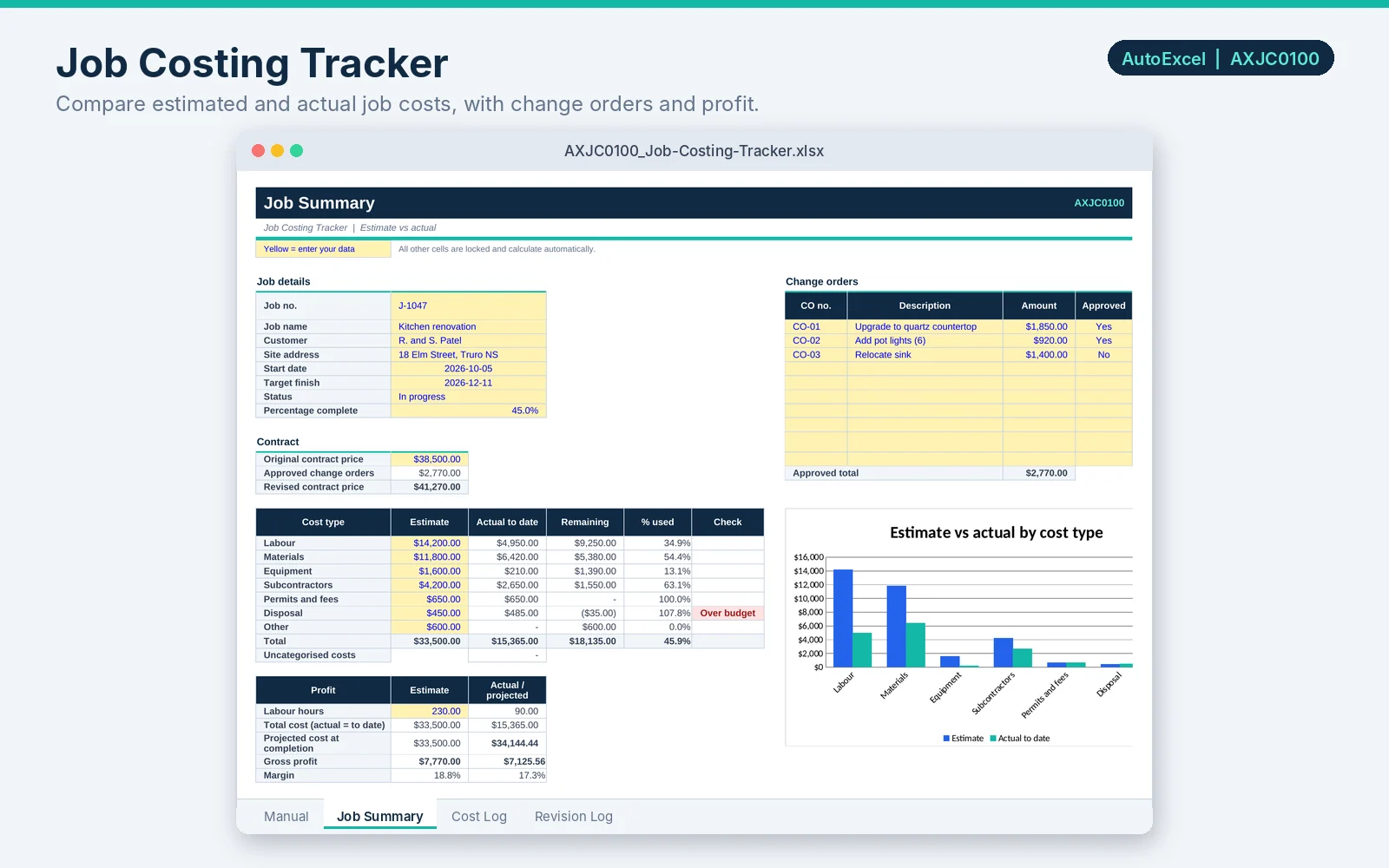 Know what each job really costs.Job Costing Tracker$25.00 CAD
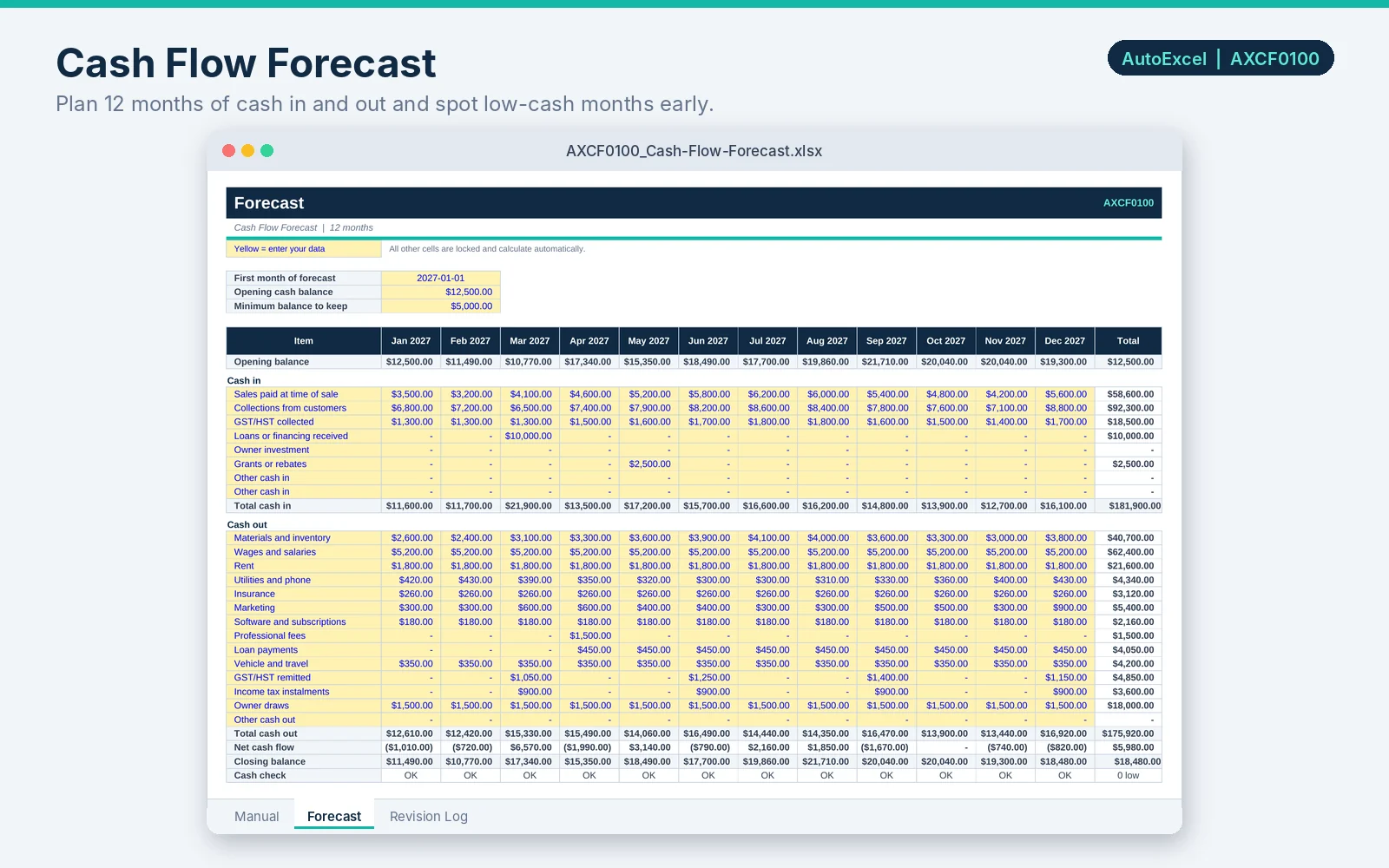 See your cash position before it surprises you.Cash Flow Forecast$25.00 CAD
Need something the templates don't cover? We build custom spreadsheet automations and reporting dashboards. Tell us what you're trying to automate.
Contractor Starter Pack
GST/HST Invoice, Job Costing Tracker and Cash Flow Forecast: quote it, cost it, get paid, and see the cash.
How it works
Download the moment you buy, plus a link emailed to you.
Excel (2016+, Windows/Mac) or Google Sheets, same price and features.
Every template includes a user manual inside the file.
Works as described, or we fix, replace or refund it within 14 days.
Card, Apple Pay, Google Pay or Link.
The template library
Every template is tested, comes with a built-in user manual and works in Excel or Google Sheets.
Trades & Contractors
A one-page work order with labour, materials, totals and sign-off.
Excel or Google Sheets
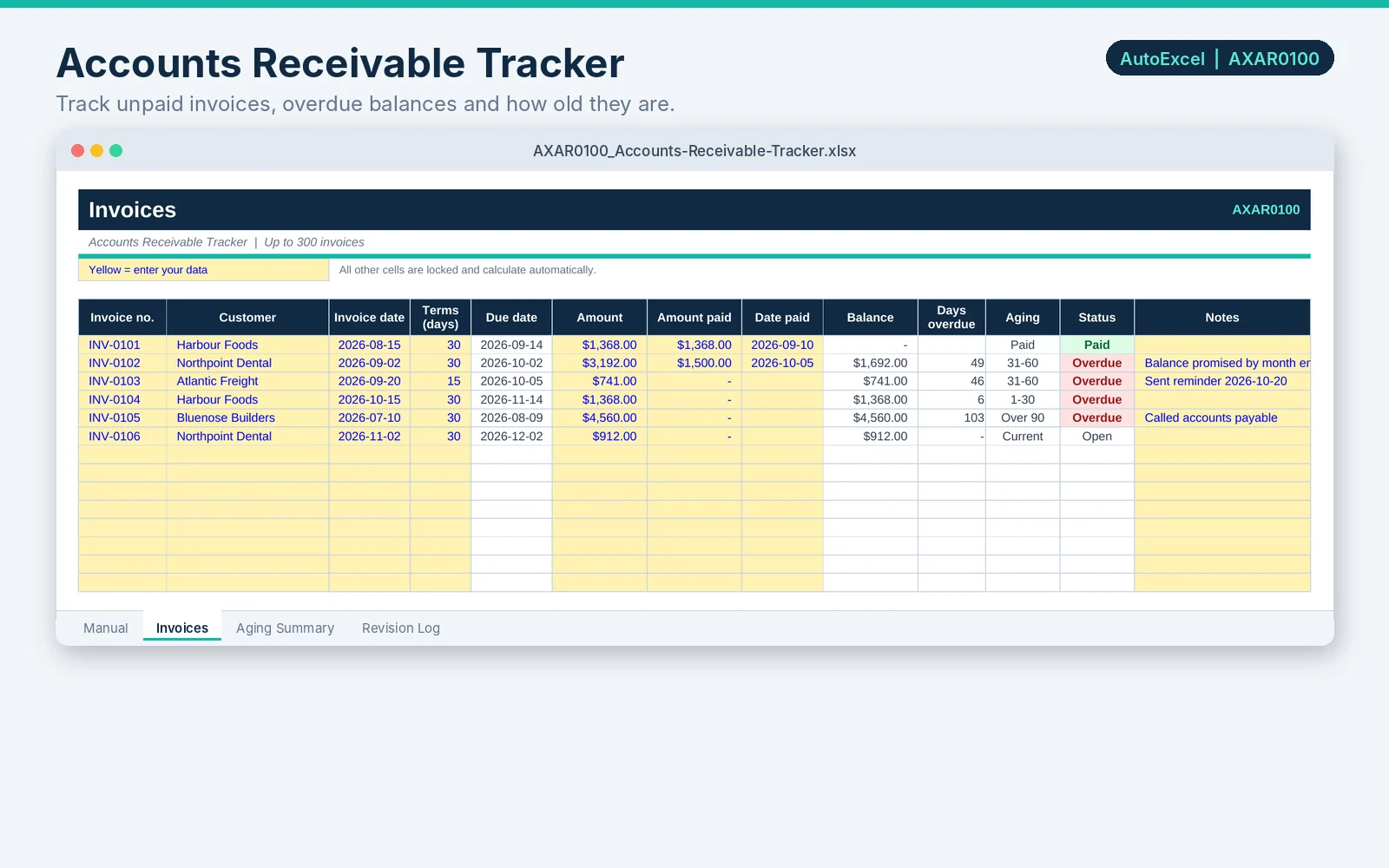
Financial Tools
Track unpaid invoices, overdue balances and how old they are.
Excel or Google Sheets
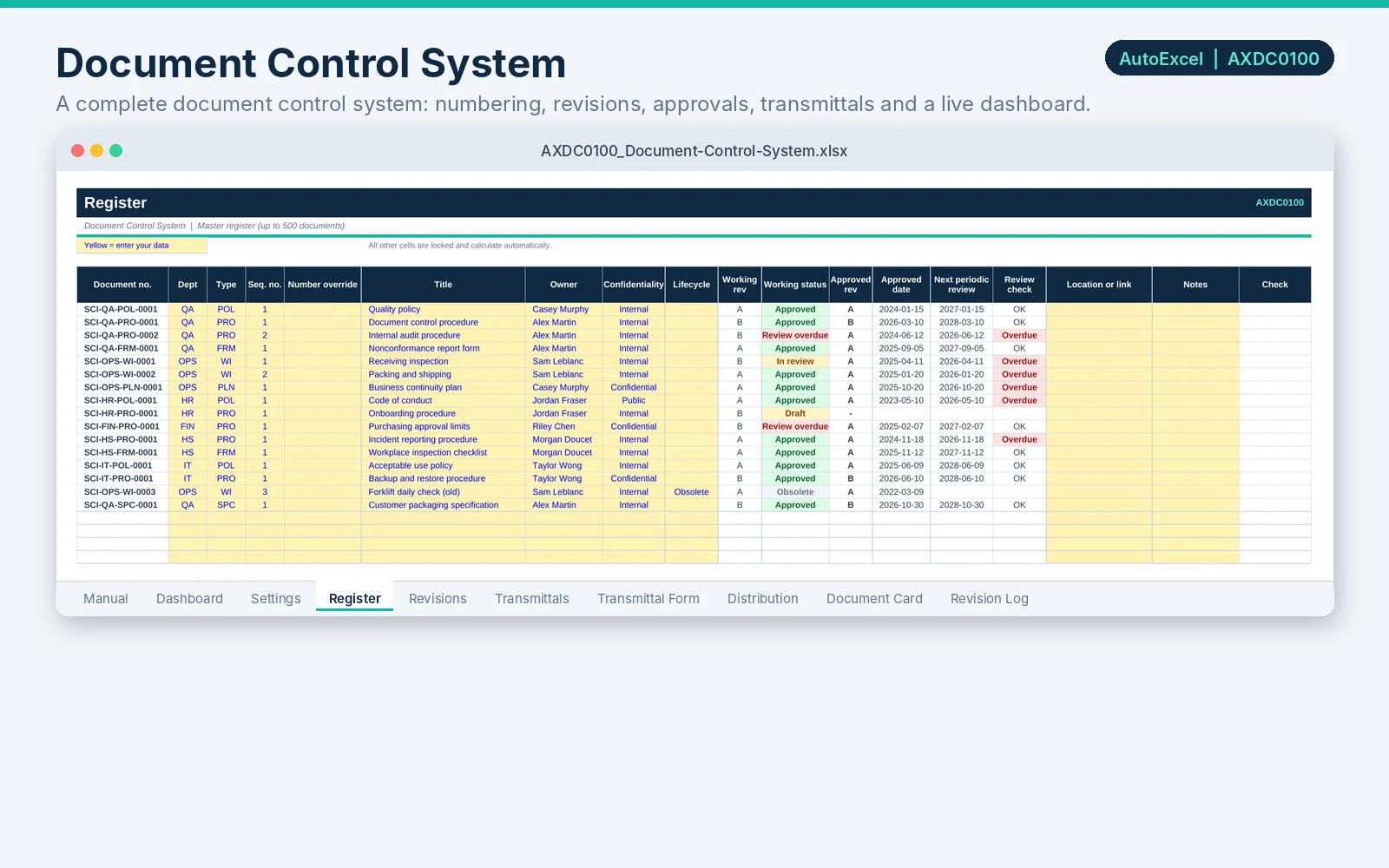
Document ControlPremium
A complete document control system: numbering, revisions, approvals, transmittals and a live dashboard.
Excel or Google Sheets
Custom automation
We build custom spreadsheet automations and reporting dashboards. Tell us what you're trying to automate.
Automate spreadsheets, calculations, reporting, and data processing using advanced Excel functionality.
Identify repetitive workflows and develop customized systems that reduce manual effort.
Transform raw business information into clear, actionable reporting.
Develop practical applications tailored to specific business requirements.
Reduce the time required to prepare and manage business documentation.
Improve existing spreadsheet systems without necessarily rebuilding them.
Reporting & dashboards
Instead of rebuilding the same monthly report by hand, automate the steps once and refresh it whenever you need it.
Revenue
$128k
Open Tasks
42
On Budget
87%
Spreadsheet Repair & Optimization
You don't always need a new system. We can fix, speed up and simplify the workbook your team already relies on, and make it harder to break.
Our approach
Understand the client's business, existing processes, and challenges.
Identify opportunities to reduce manual work and improve efficiency.
Develop a practical solution tailored to the client's requirements.
Create, test, and refine the automation solution.
Provide the completed solution, documentation, and agreed-upon support.
Works as described, or we fix, replace or refund it within 14 days.
Whether you need help improving an existing spreadsheet or developing a complete automation solution, we'd be happy to discuss your project.